
Stream Overlay
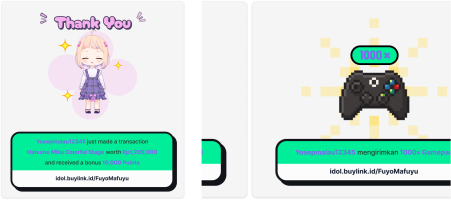
Transaction Alert
You can customize alert received from transaction either tip, e-merchandise, or top-up store sales according to your stream's branding.
To customize you can access the settings through Streaming → Overlay → Alert Tab.
| Terms | Description |
|---|---|
| Alert URL | Link to be copied into stream-casting application. |
| Stream-Casting App | Application to cast your content online such as OBS, StreamLabs, or TikTok Studio. |
| Background | Primary color for the alert notification. |
| Highlight | Bold color to differentiate the dynamic content of transactions. |
| Text | Color configuration for supporting alert text. |
| Shadow | Color configuration for alert box shadow. |
| Alert Media | User defined media set to appear during transaction alert. |
| Text Template | Predefined linguistic for supporting alert text. |
| Alert Sound | User defined audio set to be played during transaction alert. |
| Send Test Message | A button to send example alert to stream-cast app. |
Supported extensions for Alert Media are .png, .jpg, .jpeg, .gif, within file size limit of 1 MB.
Supported extensions for Alert Sound is .mp3 within file size limit of 1 MB.
Alert theme customization for tip and sales are linked. For further customization such as Word Filter, Text-to-Speech, Mediashare Configuration, Tip Unit can be found in:
Tipping → Tip Configuration.